
In Active Development
Nudge — A Gentle Inbox for the Things Your Brain Won't Hold
Forward an email, leave a voice note, or just type it in — Nudge turns it into a task and asks before it becomes real. Today's Focus shows what's actually due, snooze or tuck away what isn't, and clear things without it feeling like failure.
Inside Nudge
A gentle inbox for the things your brain won't hold
Jump straight to a screen to see how it works, with real screenshots from a live build.
Say It, Type It, or Forward It
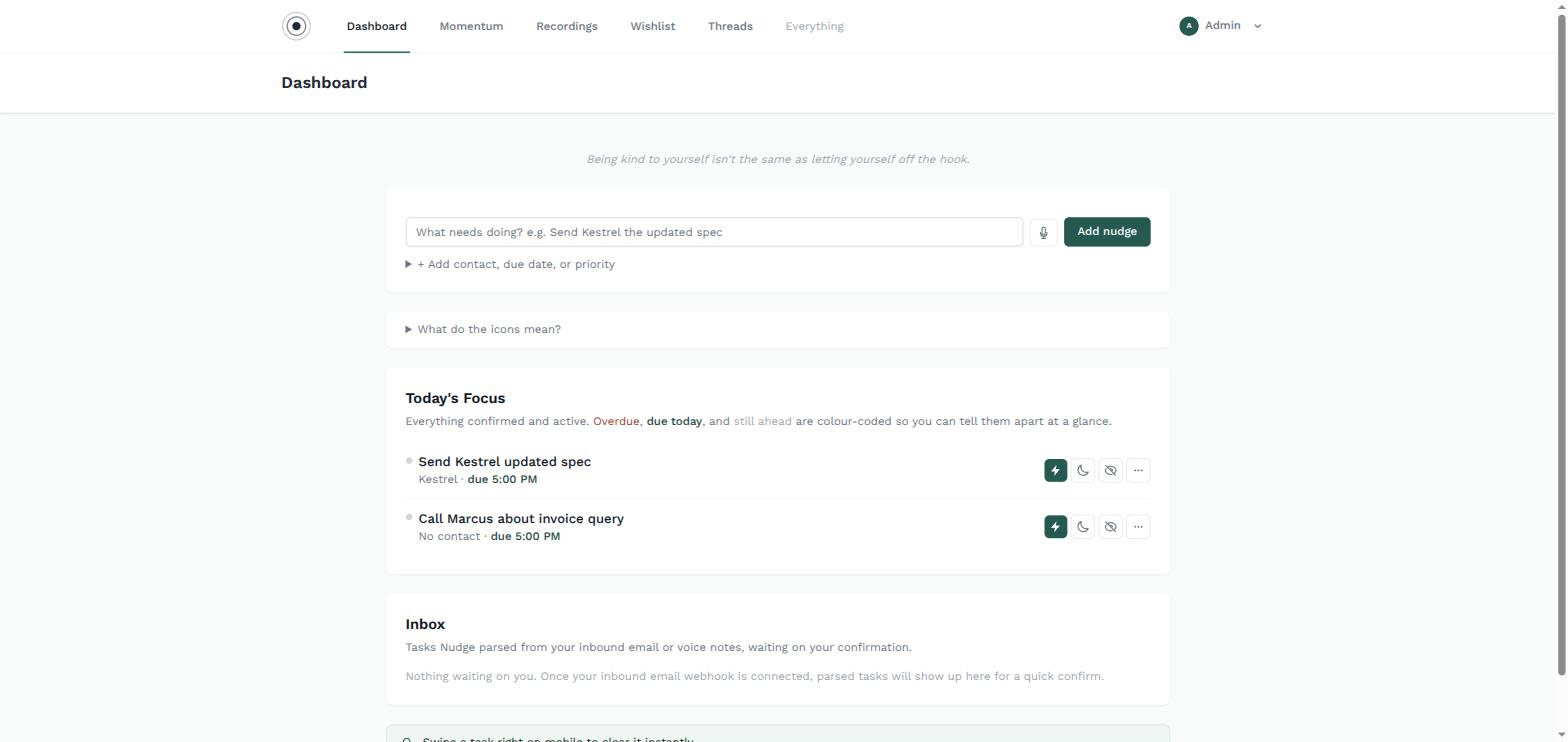
Nothing forces you into one way of getting a task in. Dictate it, type it straight into the dashboard, or forward the email — Nudge turns it into a task either way and drops it in your Inbox, waiting for a quick yes or no.
- Voice, typed, or forwarded email — your choice per task
- Nothing becomes 'real' until you confirm it
- Contact, due date and priority parsed automatically
- Today's Focus shows only what's actually due today
Full Control Over Every Task
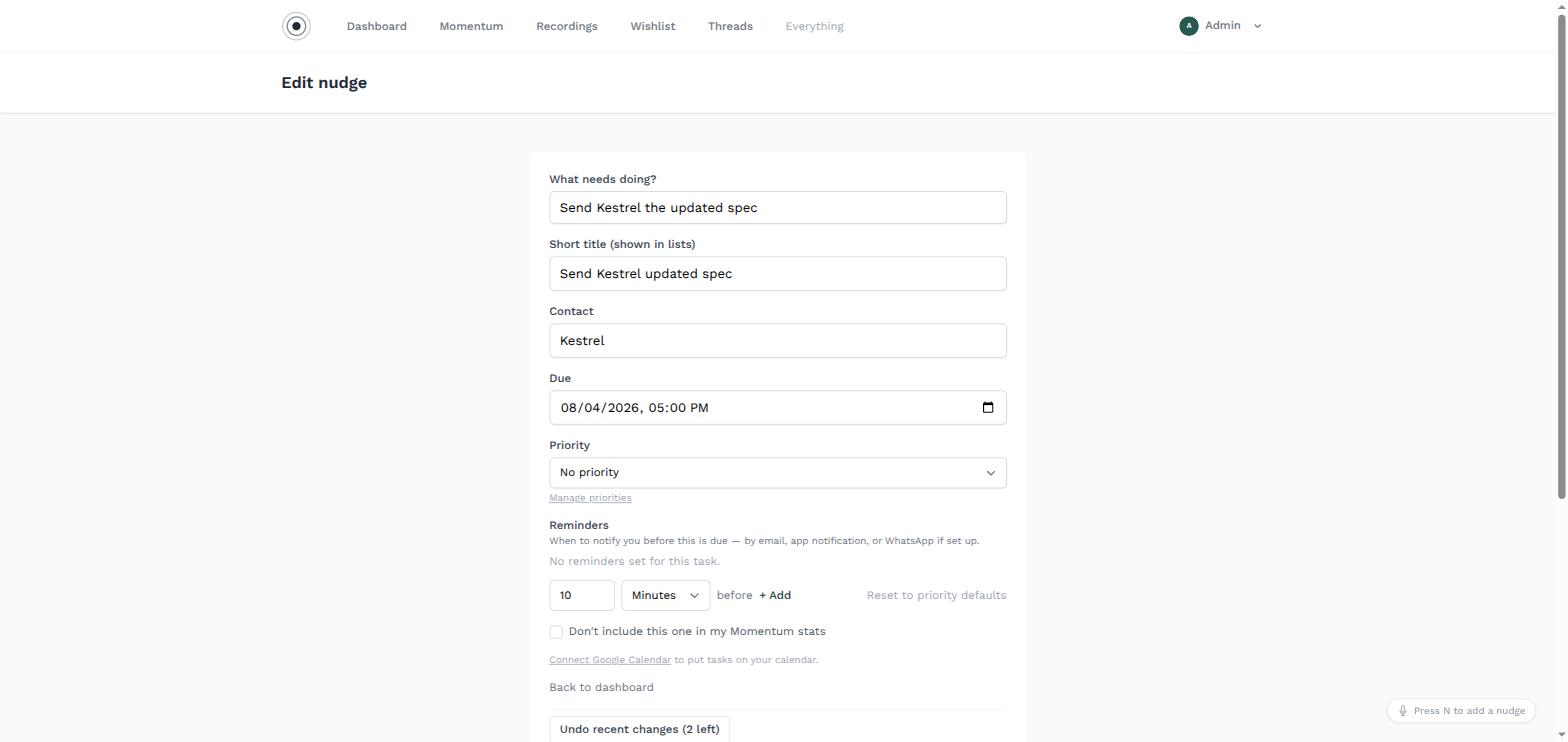
Every nudge can be refined — who it's for, when it's due, how it's prioritised, and how you want reminding. Nothing is locked in just because it was parsed automatically. Not sure why something's due when it is, or what the original message actually said? A per-task AI chat answers directly from that task's own history and can propose a clearer title, notes or due date — nothing changes until you tap Apply.
- Contact, due date & priority, all editable
- Reminders by email, app notification, WhatsApp, or a calm audible alarm
- Ask a task's own AI chat what it knows — nothing applies without your say-so
- Exclude any task from your Momentum stats
Up Front, Resting, or Tucked Away
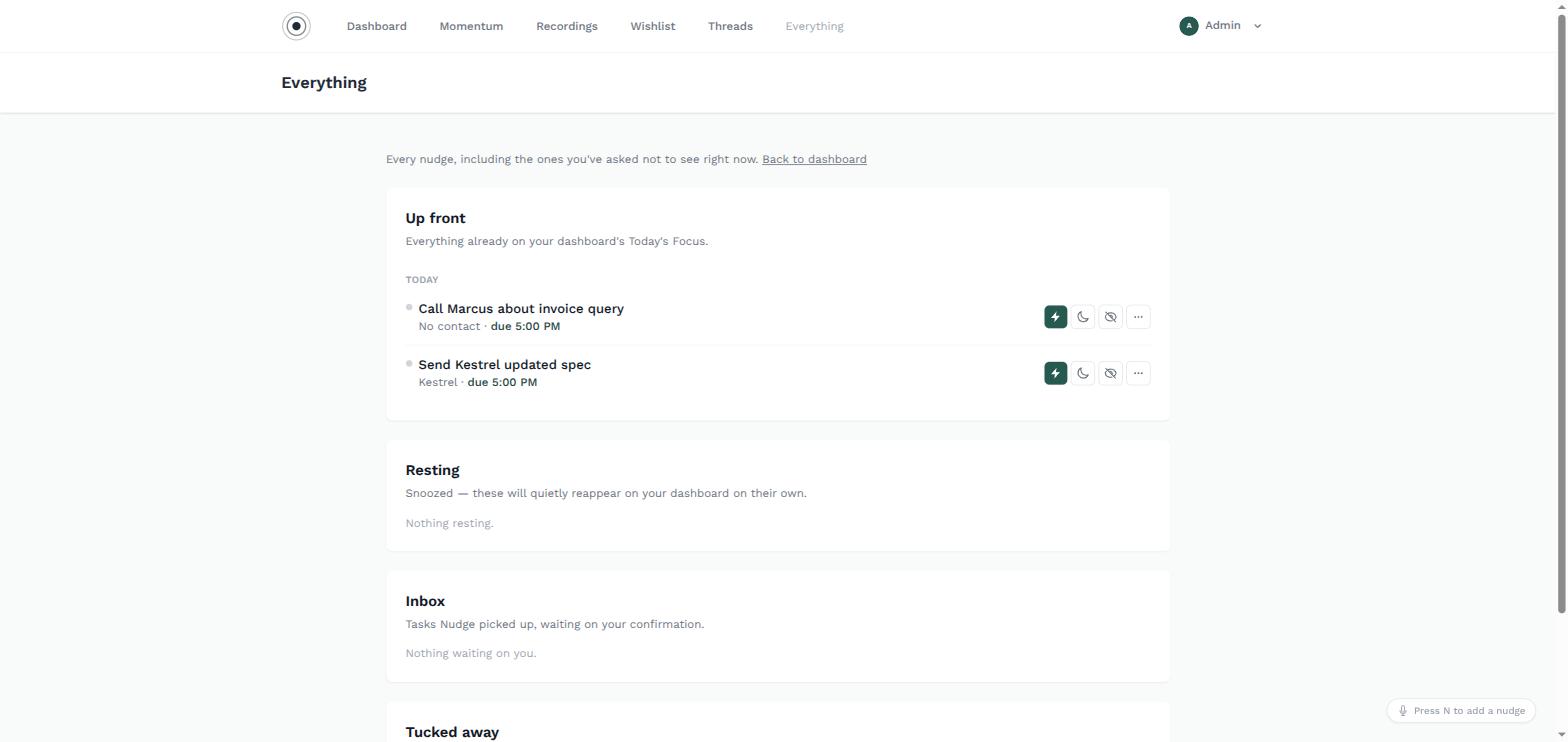
Not every task needs your attention right now. Snooze one for a day, a week — it quietly reappears when the time's up. Tuck another away with no deadline at all, and it waits until you're ready, not the other way round. Today's Focus itself stays honest about what 'today' means — something due weeks out doesn't sit on today's list cluttering it up, it simply says when it'll reappear. Lighter, one-off reminders live separately from tasks entirely: they fade a day after they pass rather than nagging forever, while recurring ones just keep coming back on schedule.
- Snooze — rests and reappears on its own schedule
- Tuck away — no countdown, no pressure, no nagging
- Today's Focus excludes far-future tasks — it names when they'll reappear instead
- Clearing a task is never framed as failure
Circle of Trust: Private by Default, Shared on Purpose
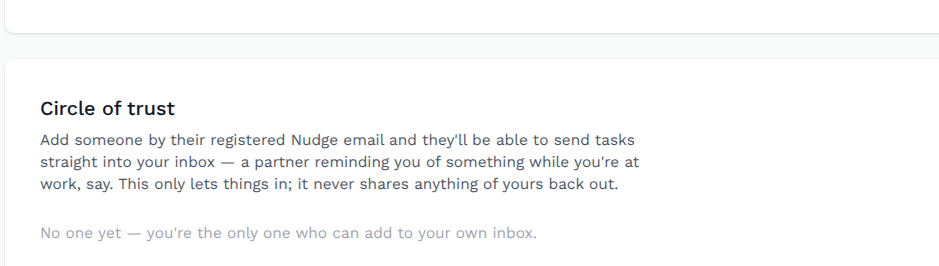
Nothing in Nudge is shared or sent to anyone automatically — your list, your reminders, and anything tucked away are visible to exactly one person: you. Circle of Trust is the one deliberate exception, and it only ever runs one way.
- Invite a specific person — a partner, an assistant, whoever you choose
- They can drop something straight into your inbox for review
- They can never see what's already on your list
- Sharing is opt-in, narrow, and one-directional by design
Your Calendar, Not a Second List
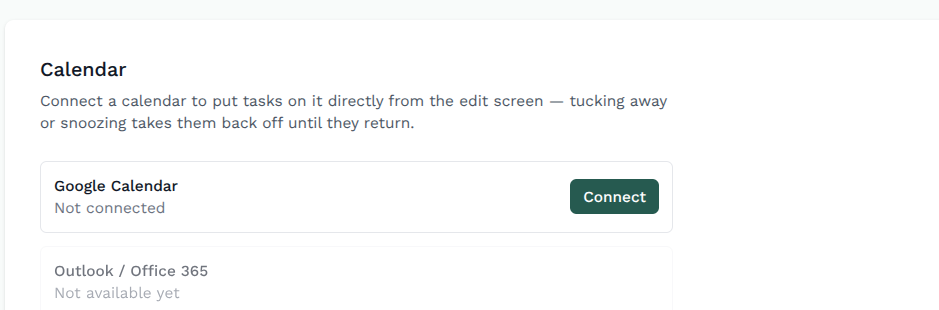
Connect a Google account and confirmed tasks with a due date show up right alongside everything else already on your calendar — no second, disconnected list to keep checking.
- Google Calendar today, Outlook/Office 365 on the way
- Only tasks you've confirmed, never anything still sitting in the Inbox
- Tucking away or snoozing a task pulls it back off the calendar until it's due again
- One connection, set once from Settings
Related Tasks, Grouped Automatically
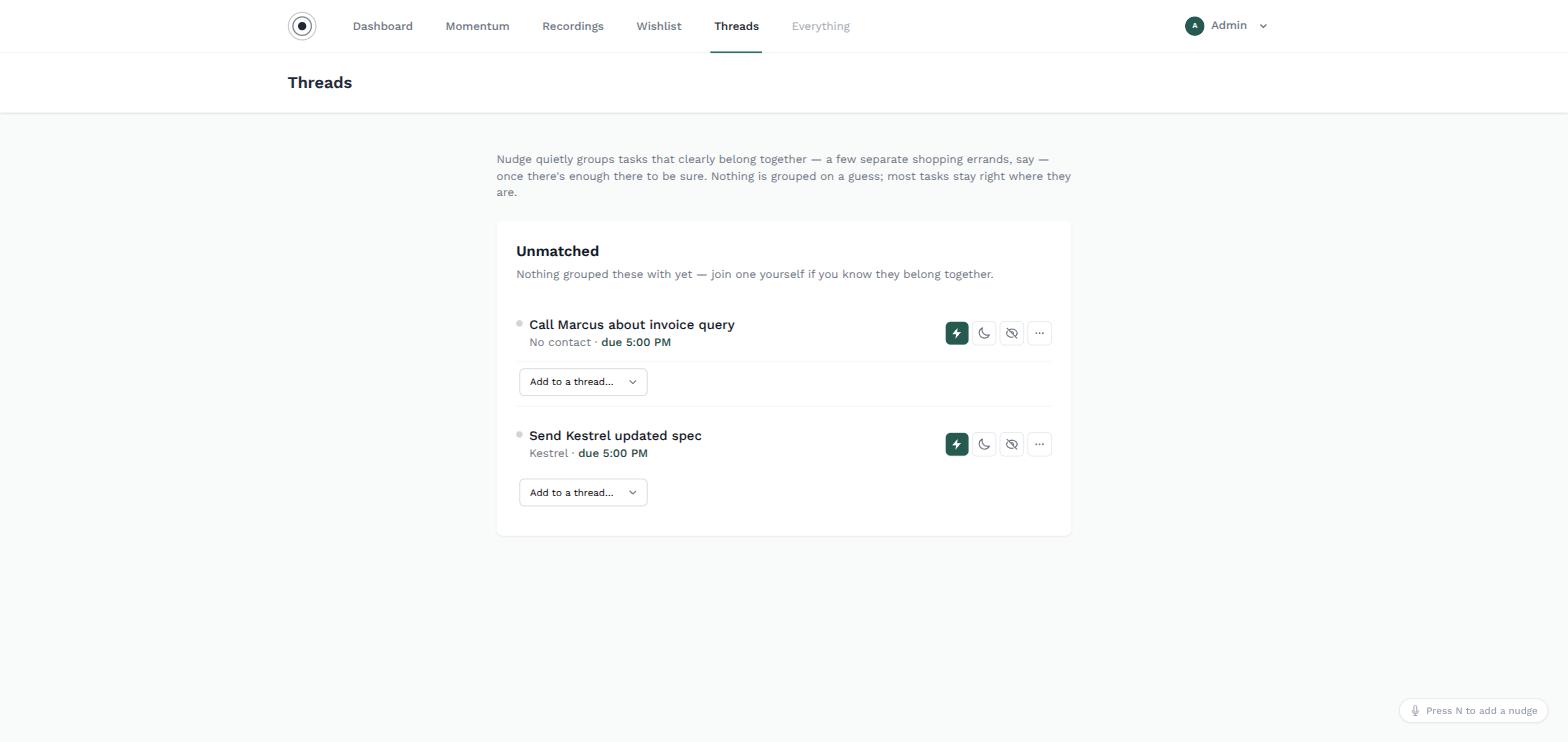
A few separate tasks that clearly belong together — quietly grouped once there's enough there to be sure. Nothing is grouped on a guess, and most tasks stay exactly where they are.
- Automatic grouping once a pattern is genuinely clear
- Never groups on a guess — most tasks stay unmatched
- Join tasks into a thread yourself if you know they belong together
- Keeps related client requests visible as a set
Talk It Out, Nudge Writes It Down
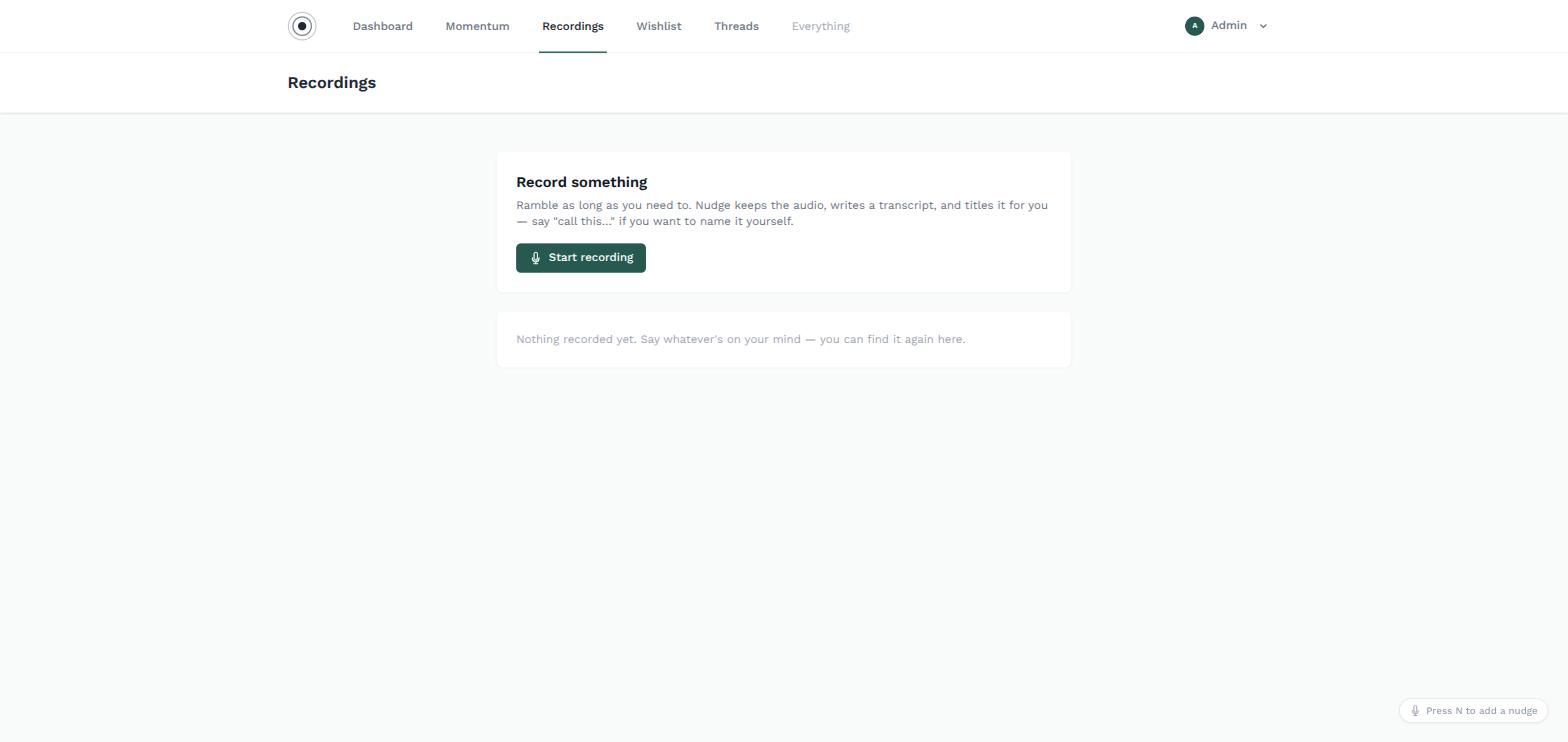
Ramble as long as you need to. Nudge keeps the audio, writes a transcript, and titles the recording for you — or say "call this…" if you'd rather name it yourself. The same voice-first instinct runs the other way too: ask Nudge to walk you through today, and it steps through Today's Focus with you one task at a time — done, snooze, reschedule, ask a question, or just replay what you originally said — rather than leaving you to work the list alone.
- Full audio kept alongside an automatic transcript
- Auto-titled, or name it yourself by voice
- "Review my day" walks Today's Focus with you, one task at a time
- The same capture engine that reads forwarded email
Momentum, Not a Scoreboard
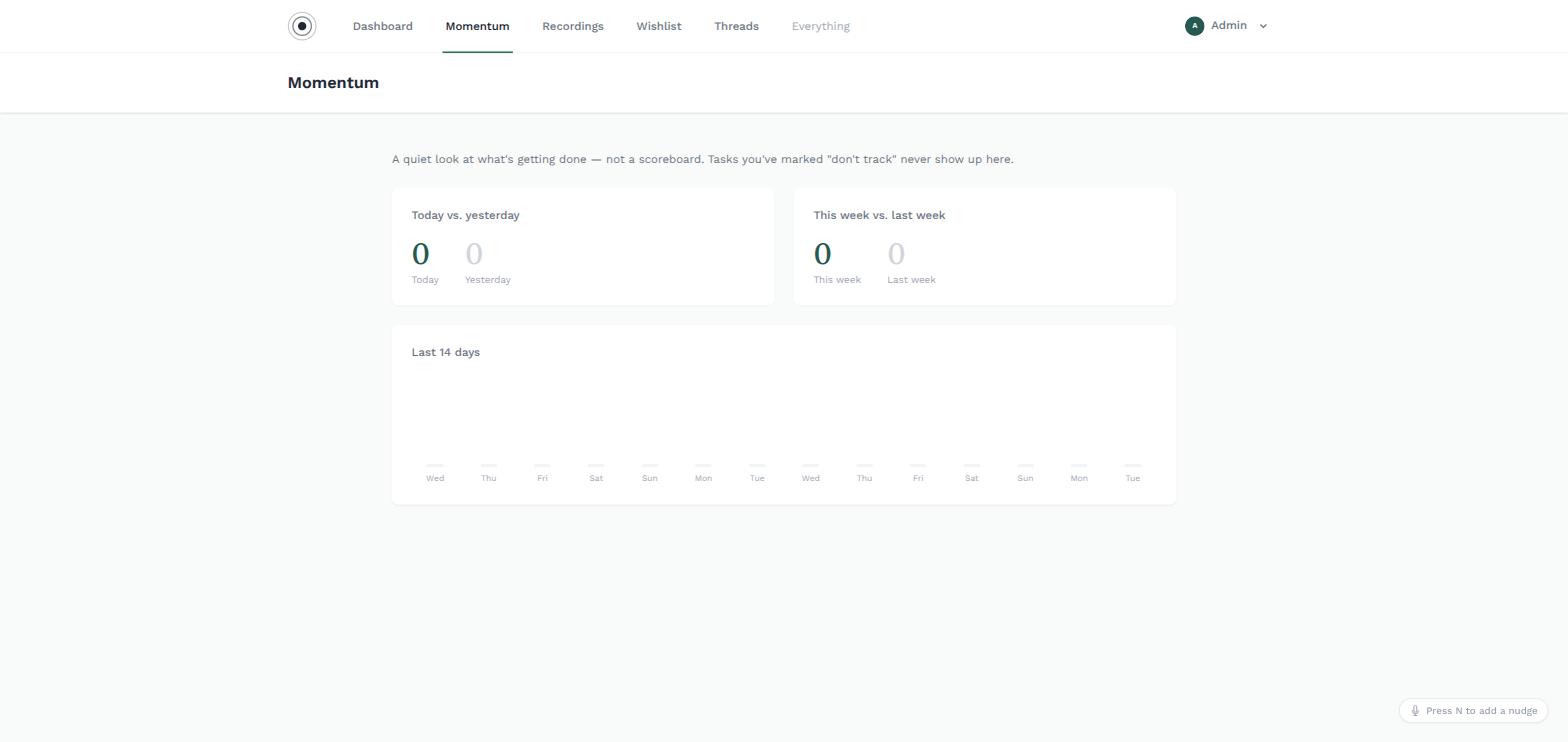
Once in a while it's worth seeing that you are getting things done — not as a test, just as a fact. Today against yesterday, this week against last, no judgement either way.
- Today vs. yesterday, this week vs. last week
- 14-day view of what actually got cleared
- Mark any task 'don't track' to keep it invisible to the numbers
- No streaks to protect, no red badges counting failures
Built With the People Who Use It
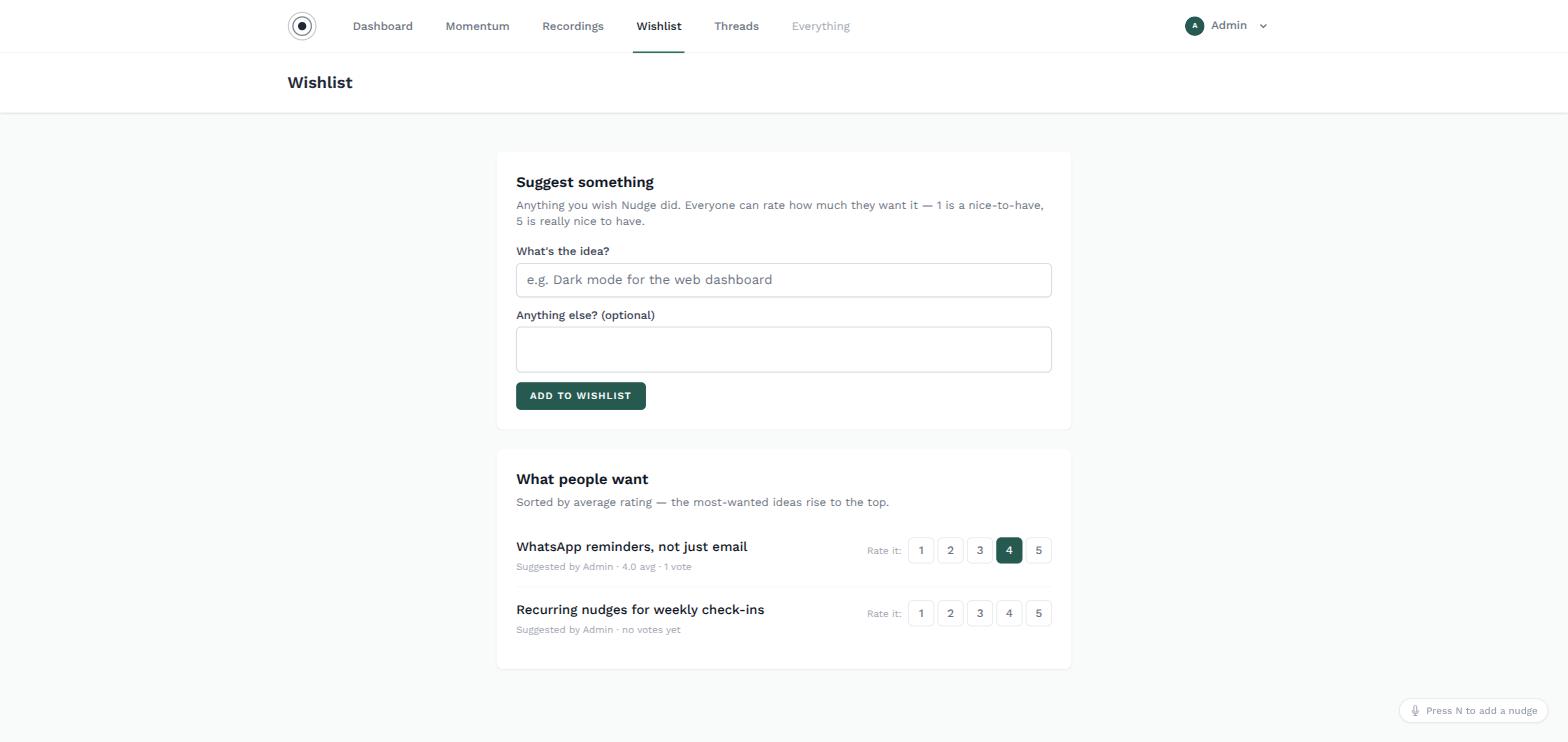
Anything you wish Nudge did, in one place. Suggest an idea and everyone can rate how much they want it — the most-wanted ideas rise to the top of the roadmap.
- Anyone can suggest a feature
- 1–5 rating shows genuine demand, not just noise
- Most-wanted ideas sorted to the top automatically
- Planned items marked so people can see progress
A Gentle Place to Put Things Down
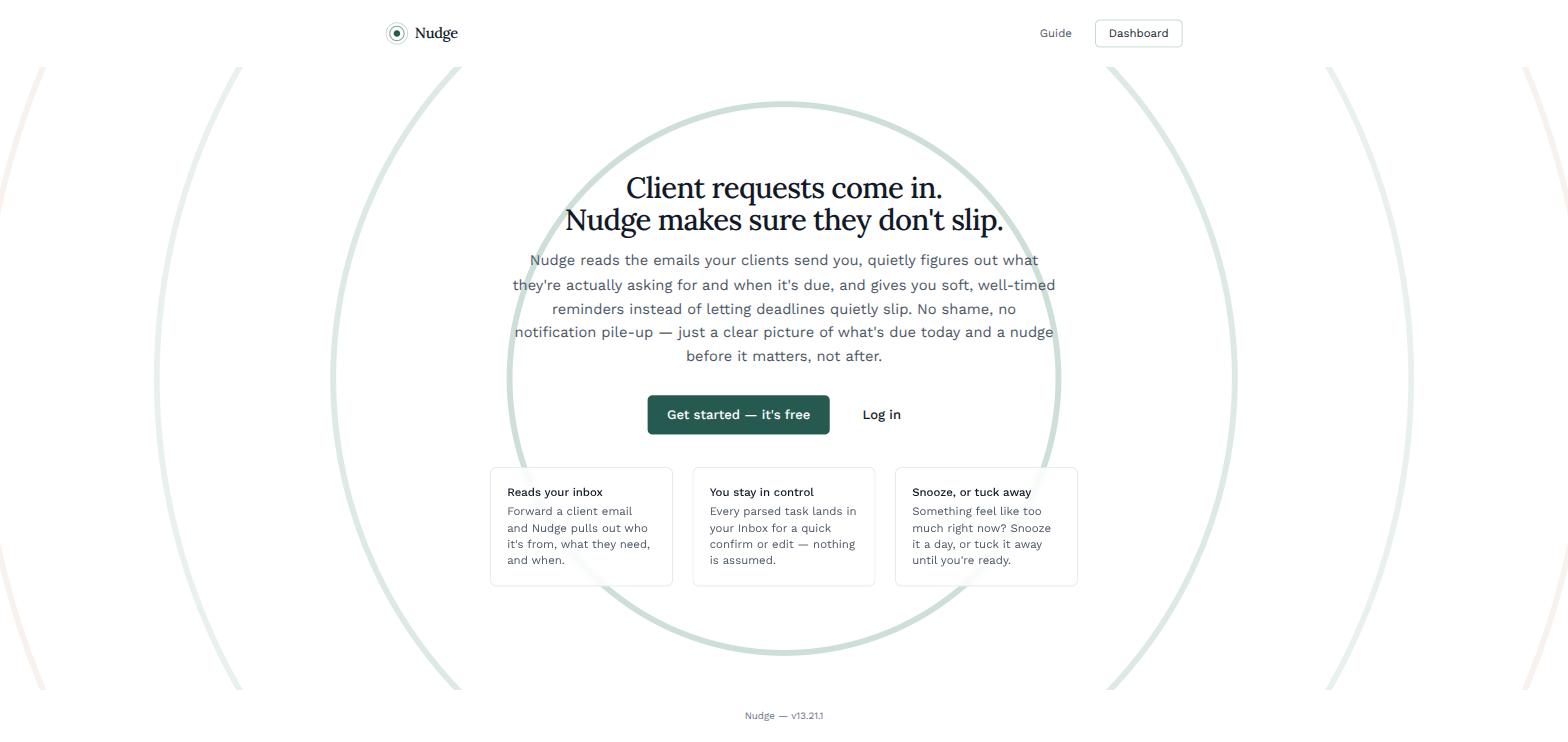
Nudge isn't a productivity system. It's not asking you to optimise your day, protect a streak, or feel bad about what's still sitting there — it exists because your brain is busy holding everything at once, and it needs somewhere safe to put things down.
- Built to be lived with, not managed
- No shame, no notification pile-up
- A clear picture of what's due today, and a nudge before it matters
- iOS and Android, with the same platform behind both
Want early access?
Nudge is in active development. Get in touch and we'll let you know when it's ready to try.
Get in touch